10 September 2026
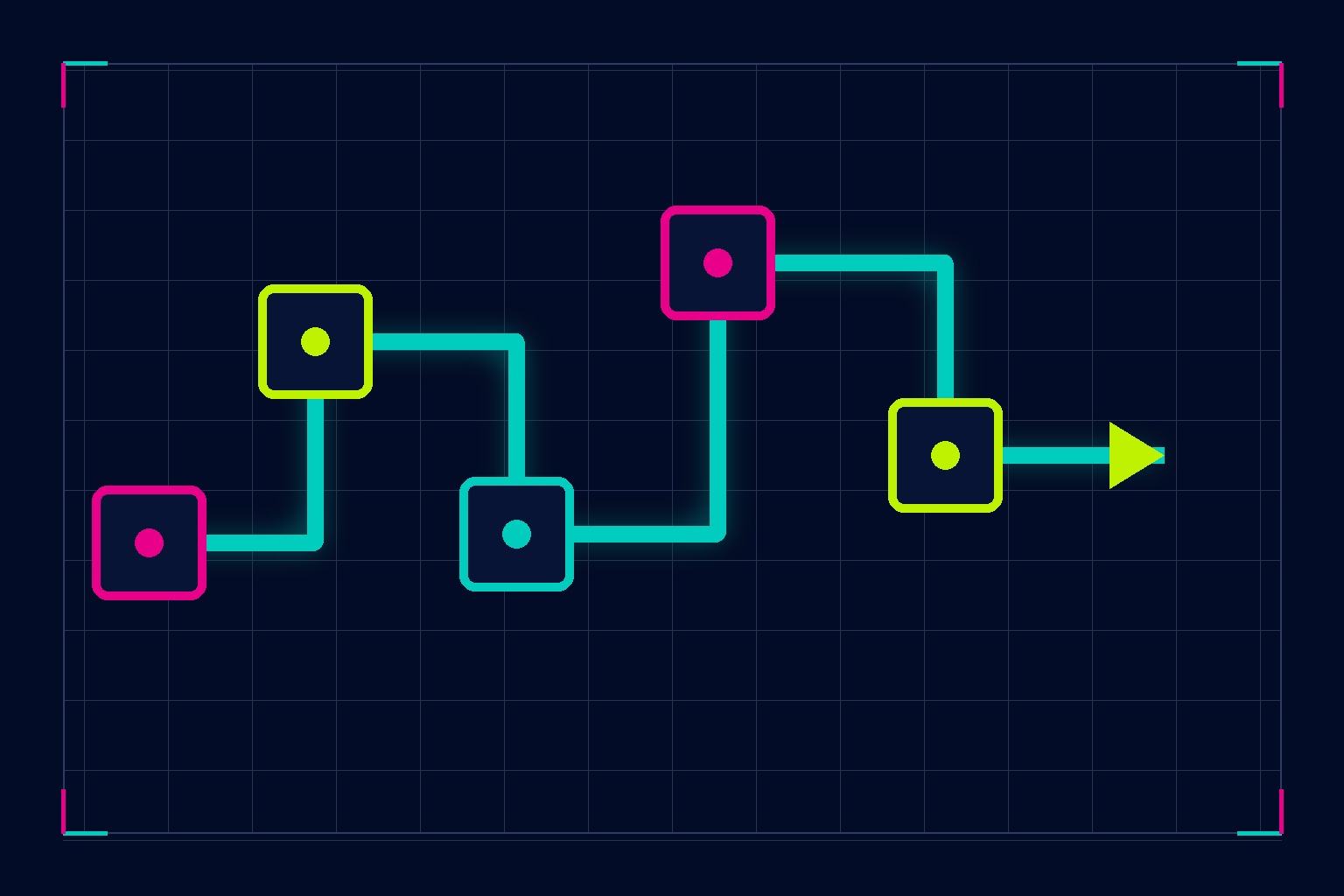
14 Day Client Onboarding Workflow: SLA Playbook With Copyable Intake
A client onboarding workflow is the seven-phase sequence that moves a signed contract to a client’s first real result. Structured well, it fits inside 5 to 14 days. Get it right and you cut early churn, speed up cash collection, and stop the slow bleed of clients who quietly disengage before they’ve even seen what you can do.
TL;DR:
- Most firms should aim to complete the onboarding process within one to two weeks to reduce early client churn and accelerate first results.
- Clearly assign owners and SLAs for each of the seven onboarding phases, with external triggers like contract signing starting the sequence immediately.
- Automate reminders, status updates, and document tracking while keeping key trust moments, such as kickoff and check-ins, human to maintain client confidence.
- Metrics like time to first value, onboarding completion rate, and 30-day retention provide measurable indicators of onboarding success, with ideal targets being under 14 days and less than 8% early churn.
- Simple fixes, such as named file requests, explicit owner assignment, and early quick check-ins, can be implemented in under an afternoon to prevent common breakdowns.
Table of Contents
- What is a client onboarding process, and why does it matter?
- The 7-phase client onboarding steps: timelines, owners, SLAs
- Checklist and templates you can copy today
- Which parts of client onboarding should you automate?
- What metrics actually show onboarding is working?
- Why do onboarding sequences break down, and how do you fix them?
- How do you adapt onboarding for different client types?
- How Plexo builds onboarding into the growth system
- Why the first two weeks decide everything that follows
- Sources
- FAQ
What is a client onboarding process, and why does it matter?
People use “onboarding” and “intake” interchangeably, and that’s where a lot of the trouble starts. Intake is data collection: contracts, forms, payment details. Onboarding is the full sequence that follows, from the moment ink hits paper to the moment a client sees their first tangible result. Intake is a subset of onboarding, not a substitute for it.
The gap between the two shows up in the numbers. Firms that treat onboarding as an afterthought (a folder of PDFs and a “let us know if you have questions” email) tend to lose clients early. According to OnboardMap’s onboarding research, slower firms lose a significant proportion of new clients within the first 90 days, almost always because the client never felt oriented, never saw progress, or got buried in disorganised requests.
A properly built client onboarding workflow fixes three things at once:
- Time to first value shrinks, because the client sees a deliverable or milestone inside two weeks instead of guessing at progress for a month.
- Retention improves, because clients who understand what’s happening and when rarely walk away confused.
- Disputes drop, because expectations, scope, and deadlines are documented from day one instead of assumed.
Top-performing firms complete the full onboarding process in a few days for standard service engagements, according to the same OnboardMap data. That’s the benchmark worth chasing, even if your first version of the workflow takes closer to two weeks.
The 7-phase client onboarding steps: timelines, owners, SLAs
This is the part most businesses skip, and it’s the part that actually determines whether onboarding feels smooth or chaotic. Each phase needs three things: a trigger (what starts it), an owner (who’s accountable), and an SLA (how long it should take). Without those three, “onboarding” is just a vague hope that things will work out.
-
Welcome and portal access. Trigger: contract signature. Owner: account manager or founder. SLA: within hours, not days. The moment a client signs, send a warm welcome message and their portal login or magic link. Treating the signature as an experience moment rather than a transactional afterthought measurably reduces client anxiety in that first fragile 24 hours, when buyer’s remorse is at its highest.
-
Discovery and intake. Trigger: welcome sent. Owner: onboarding lead. SLA: 1 to 2 days. A well-built intake form with 10 to 15 targeted fields surfaces the vast majority of alignment risk before it becomes a problem. This is where you learn about existing tools, decision makers, past vendor frustrations, and non-negotiables. Skip this step or shrink it to three fields and you’ll be relearning these facts three weeks in, usually at the worst possible moment.
-
Document and asset collection. Trigger: intake submitted. Owner: onboarding coordinator. SLA: 2 to 3 days, with automated reminders. Name every file you need. Don’t ask for “your branding assets”; ask for “your logo file (SVG or PNG, transparent background) and your brand colour codes.” Vague requests create drip-feed friction, where clients send one file at a time over two weeks because they genuinely don’t know what “everything” means.
-
Credentials and software access. Trigger: documents received. Owner: technical lead. SLA: 1 to 2 days. Request access by system name, not as a generic “send us your logins” email. “We need Editor access to your Google Analytics property” is specific and actionable. “Send us your admin details” invites a security risk and a delay while the client tries to figure out what you actually need. Use a secure credential-sharing method, never plain email, for anything sensitive.
-
Kickoff call. Trigger: access confirmed. Owner: account lead. SLA: scheduled for day 5 to 7, running 30 to 45 minutes. This isn’t a status meeting. According to Gatilab’s agency workflow research, a kickoff call needs a tightly timed agenda and a recap sent within four hours of the call ending. Calling it a “kickoff” rather than a “check in” changes how both sides show up to it. Send the recap while the conversation is still fresh; a recap that lands two days later has already lost half its value.
-
Internal handoff and setup. Trigger: kickoff complete. Owner: delivery team lead. SLA: verified by day 7 to 10. This is the internal mirror of external onboarding: making sure the team actually delivering the work has everything they need, set up correctly, before the client notices anything is missing. A surprising number of onboarding failures trace back to this step being skipped entirely, with the client-facing side looking smooth while the delivery side scrambles.
-
First-week and day-30 review. Trigger: setup verified. Owner: account manager. SLA: 15-minute check-in at day 10 to 14, formal review at day 30. This short check-in is where you catch friction while it’s still cheap to fix. Catching problems in the first week prevents them from becoming expensive downstream disputes about scope or expectations.
Pro Tip: Put the SLA in writing inside your welcome email, not just your internal process doc. Clear timelines set expectations the client can hold you to, reducing anxious follow-ups that consume your team’s time.
Checklist and templates you can copy today
A one-page checklist beats a ten-page process document nobody reads. Each line needs an owner and a clear “done” state, not a vague task description.
- Welcome email sent (Owner: account manager, Done: portal link delivered within 4 hours of signature)
- Intake form completed (Owner: client, Done: all required fields submitted within 2 days)
- Documents requested by name (Owner: onboarding coordinator, Done: itemised list sent with deadline)
- Credentials granted (Owner: technical lead, Done: access verified by internal test login)
- Kickoff scheduled (Owner: account lead, Done: calendar invite accepted by both parties)
- Kickoff recap sent (Owner: account lead, Done: sent within 4 hours of the call)
- Internal setup verified (Owner: delivery lead, Done: confirmed working before day 10)
- First-week check-in held (Owner: account manager, Done: 15-minute call logged by day 14)
For the intake form, resist the urge to ask everything. Ten to fifteen fields hits the sweet spot between genuine alignment and client fatigue:
| Field category | Example fields |
|---|---|
| Business basics | Legal business name, primary contact, decision maker if different |
| Goals | Top outcome in 90 days, biggest current frustration |
| Systems | Current tools in use, who has admin access |
| Logistics | Preferred communication channel, meeting availability |
| History | Previous vendor experience, what didn’t work before |
For document requests, name the file and the format, and give a deadline. “Please upload your last three months of financial statements (PDF) by Friday” gets a same-day response far more often than “please send your financials when you get a chance.” Moxo’s onboarding research backs this pattern: a consistent, named-request sequence with clear owners turns onboarding from a scramble into a repeatable process.
Which parts of client onboarding should you automate?
Automate the logistics. Keep the relationship moments human. That split sounds obvious written down, but most businesses get it backwards, either automating the welcome message into a cold template or manually chasing every document reminder by hand.
What to automate:
- Reminders on a fixed cadence. Day 3, day 7, and day 10 nudges for outstanding documents or unfinished intake forms, sent without anyone having to remember to send them.
- Status updates. A dashboard or portal view showing what’s complete, what’s pending, and what’s overdue, visible to the client without them needing to email and ask.
- Document tracking. Automatic confirmation when a file lands, so nobody wonders whether their upload actually went through.
A single client portal link (sometimes called a magic link) removes the single biggest source of onboarding friction: forgotten passwords. Instead of a client juggling a login for your project management tool, your file-sharing system, and your scheduling app, one link shows real-time status across everything. According to OnboardMap’s data, named requests combined with a portal link recover a meaningful share of the admin time normally lost to chasing.
What not to automate: the welcome call, the kickoff, and the first-week check-in. These are trust-building moments, and a client can tell within seconds whether they’re talking to a person or reading a template. Automating logistics buys back the time you need to show up properly for the moments that matter.
Pro Tip: If you’re going to automate one thing this month, automate the reminder cadence before anything else. It’s the lowest-effort build and the highest-friction problem it solves, since chasing documents manually is where most account managers lose hours every week.
What metrics actually show onboarding is working?
Five numbers tell you almost everything about whether your onboarding process improvement efforts are landing.
Time to first value: days from signature to the client’s first tangible deliverable or milestone. Target under 14 days; the strongest firms hit 5 to 7.
Onboarding completion rate: the percentage of clients who finish every phase without stalling out. A low completion rate almost always points to one specific phase, usually document collection, where clients get stuck.
Time to access: days from signature to full credential and system access. This one is entirely within your control, so a slow number here is a process problem, not a client problem.
First-week issue rate: how many clients raise a concern or confusion in that first check-in. A rising rate here is an early warning sign worth investigating before it shows up in a cancellation.
30-day retention: the percentage of clients still active at day 30. Firms with fast, complete onboarding tend to see early churn well under 8%, while slow or incomplete onboarding correlates with the 25 to 35% early-loss figure cited earlier.
A short post-onboarding survey, three or four questions sent right after the day-30 review, captures qualitative friction that the numbers alone won’t show. Ask what was confusing, what took longer than expected, and what almost made them reconsider. That last question tends to produce the most useful answers of the three.
Why do onboarding sequences break down, and how do you fix them?
Most onboarding failures trace back to four repeatable mistakes, and each one has a fix that takes an afternoon to implement, not a system overhaul.
- Drip requests create friction. Asking for one document at a time over several emails exhausts clients. Fix: send one named list with a single deadline, upfront.
- Unclear owners stall progress. When nobody knows who’s responsible for the next step, it doesn’t happen. Fix: name the owner in the checklist and again in the welcome message, so the client knows who to contact.
- Late access delays everything downstream. If credentials aren’t sorted by day 3, the whole timeline slips. Fix: run an access audit by day 3 and request by named system, not a generic ask.
- Over-automation erodes trust. A fully templated experience feels impersonal exactly when clients need reassurance most. Fix: keep the signature moment, the kickoff, and the first-week check-in strictly human.
Each of these is a five-minute fix once you’ve spotted it, which is exactly why they’re worth auditing every quarter rather than assuming last year’s process still holds.
How do you adapt onboarding for different client types?
Not every client needs the same depth of hand-holding, and treating a straightforward project client the same as a complex, multi-stakeholder retainer client wastes effort on one end and under-serves the other.
-
Low-touch (self-serve). Suited to simple, well-defined projects with a single decision maker. Automated welcome, a short intake form, and a recorded kickoff video instead of a live call. Fast to scale, minimal manual effort.
-
Hybrid. The middle ground for most small to medium engagements. Automated logistics (reminders, status, document tracking) paired with a live kickoff call and a human first-week check-in. This is where most service businesses should default.
-
High-touch. Reserved for complex, high-value, or multi-stakeholder clients. Extended discovery, multiple onboarding calls, and a dedicated onboarding lead who stays involved well past day 30.
Template each flow separately and keep a versioned library rather than editing one master document into confusion. Segmenting by engagement type, according to Assembly’s process research, stops a one-size-fits-all workflow from either overwhelming simple clients or underserving complex ones. As you scale, a weekly onboarding huddle and one named onboarding lead per client keeps accountability clear even as volume grows.
How Plexo builds onboarding into the growth system
Plexo treats onboarding as an operational problem, not a customer service afterthought. When a wellness brand’s onboarding is broken, it’s rarely isolated. It usually connects to a bigger pattern of fragmented content, operations, and revenue systems working against each other.
That’s the reasoning behind Plexo’s 90-minute business audit: a fixed-scope diagnostic built to surface the specific constraints slowing a brand down, including where new clients or patients fall through the cracks between signup and first result. The audit produces a tailored 90-day plan the business can actually execute, not a generic report that sits in a shared drive.
In one wellness brand engagement, operational and marketing integration work helped grow monthly revenue significantly, driven largely by fixing the systems around client experience and retention rather than simply spending more on acquisition. Onboarding was part of that fix: a client who has a smooth, well-owned first two weeks is a client far more likely to stay long enough to become genuinely profitable.
What Plexo looks for in an onboarding audit:
- Where document or access requests stall for more than 48 hours
- Whether a named owner exists for each onboarding step
- How quickly a new client sees a first tangible result
- Whether the kickoff and check-in moments are genuinely human or quietly automated away
Clients get a live operating view of these systems, so onboarding health shows up as a trackable metric rather than a gut feeling.
Why the first two weeks decide everything that follows
The first ten to fourteen days of a client relationship do more work than the following ten months. That’s not an exaggeration born of consulting mythology; it’s simple human psychology. A client who feels oriented, respected, and informed in that window extends trust generously afterward. A client who feels confused or ignored spends the rest of the engagement looking for evidence to confirm their doubt.
If you implement exactly one thing from this workflow, make it the day-10 fifteen-minute check-in. It’s short enough that clients rarely decline it, and it catches friction while it’s still a five-minute fix rather than a cancellation notice three months later.
And stop treating the e-signature as paperwork. It’s the first genuine interaction a client has with your business after the sales conversation ends. A generic “thanks, we’ll be in touch” response after signature undoes weeks of sales trust-building in a single sentence. Treat it as the opening line of the relationship, not the closing line of the deal.
— Jordan
Sources
For deeper templates and vendor-specific tooling patterns, OnboardMap’s onboarding guide offers downloadable checklists, while Moxo’s process breakdown covers intake form design in more detail. Assembly’s guide to onboarding process flow is worth reading if you’re deciding between touch levels, and Gatilab’s agency workflow piece is the strongest reference for building an SLA table from scratch.
Ready to see where your own onboarding is losing clients? Plexo’s 90-minute business audit is built to find exactly that, fast, with a 90-day plan to fix it.
- Client Onboarding Guide 2026: The Complete Playbook + Free Templates | OnboardMap
- New client onboarding done right: The process, checklist, and workflow you need | Moxo
- Client Onboarding Process Flow: Complete Guide With 7 Steps | Assembly
- Customerexperience
FAQ
What are the 7 phases of a client onboarding workflow?
The seven phases are welcome and portal access, discovery and intake, document collection, credentials and access, the kickoff call, internal handoff and setup, and the first-week and day-30 review.
What are the steps in a typical client onboarding process?
Most workflows follow a sequence of welcome, intake, document collection, contract or access setup, kickoff, internal handoff, and a first-value or first-week review, with a named owner and SLA attached to each step.
How long should client onboarding take?
Most businesses should target about one to two weeks from signature to first value, with the strongest firms completing the sequence in under two weeks.
What should I automate in client onboarding, and what should stay human?
Automate reminders, status updates, and document tracking on a regular cadence during onboarding. Keep the welcome call, kickoff, and first-week check-in fully human, since these are the moments that build trust.
What metrics show whether onboarding is working?
Track time to first value, onboarding completion rate, time to access, early issue rate, and one-month retention, aiming for around two weeks to first deliverable and low early churn when onboarding is efficient and complete.
Recommended
Newsletter